Agenda + daily notes

Your day,
on one page.

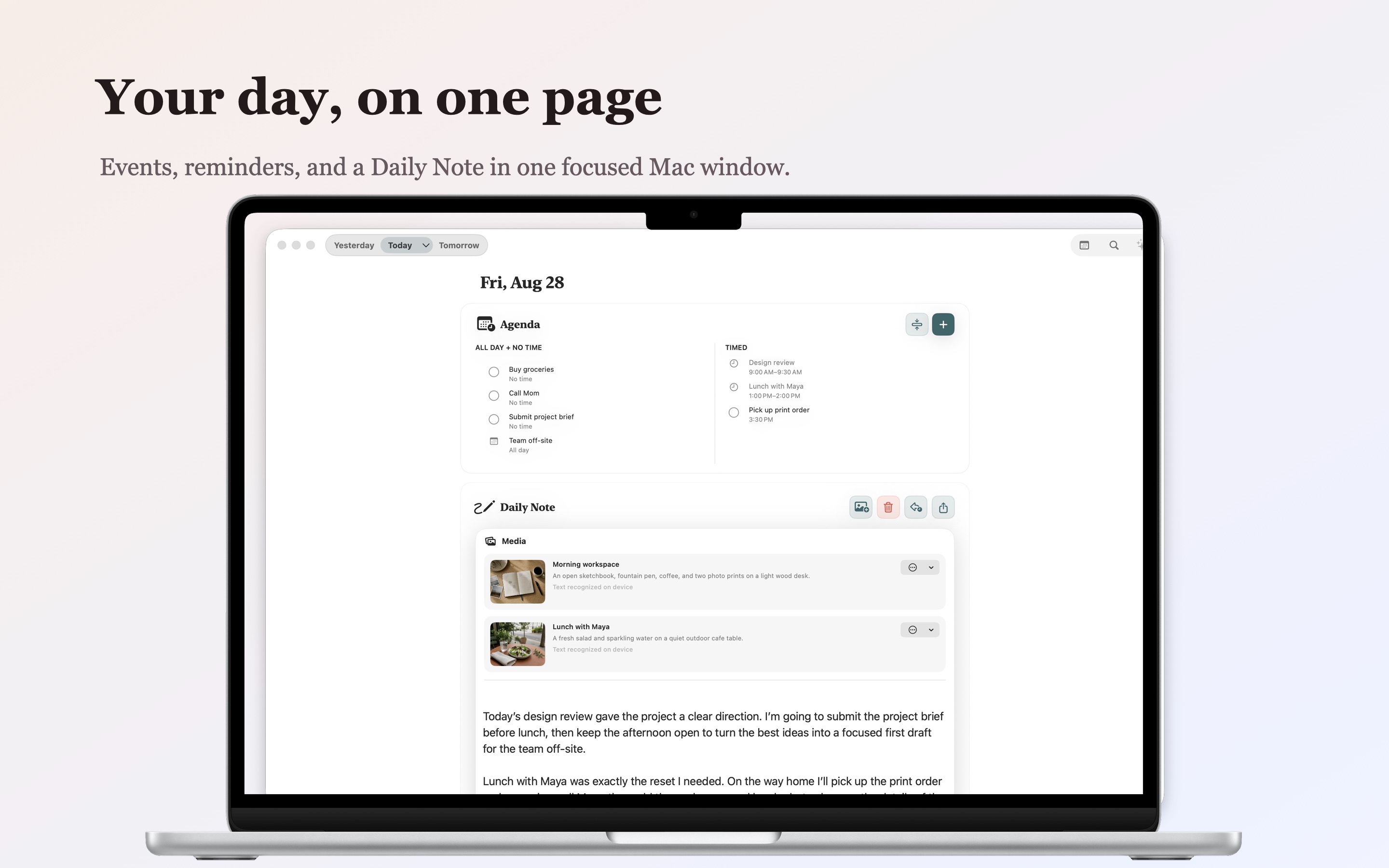
Parchment brings your calendar, reminders, and daily journal together in one calm place to plan, write, search, and reflect.

Download on the App StoreMade for iPhone, iPad & Mac
Private by design$4.99 one-time purchase
Today
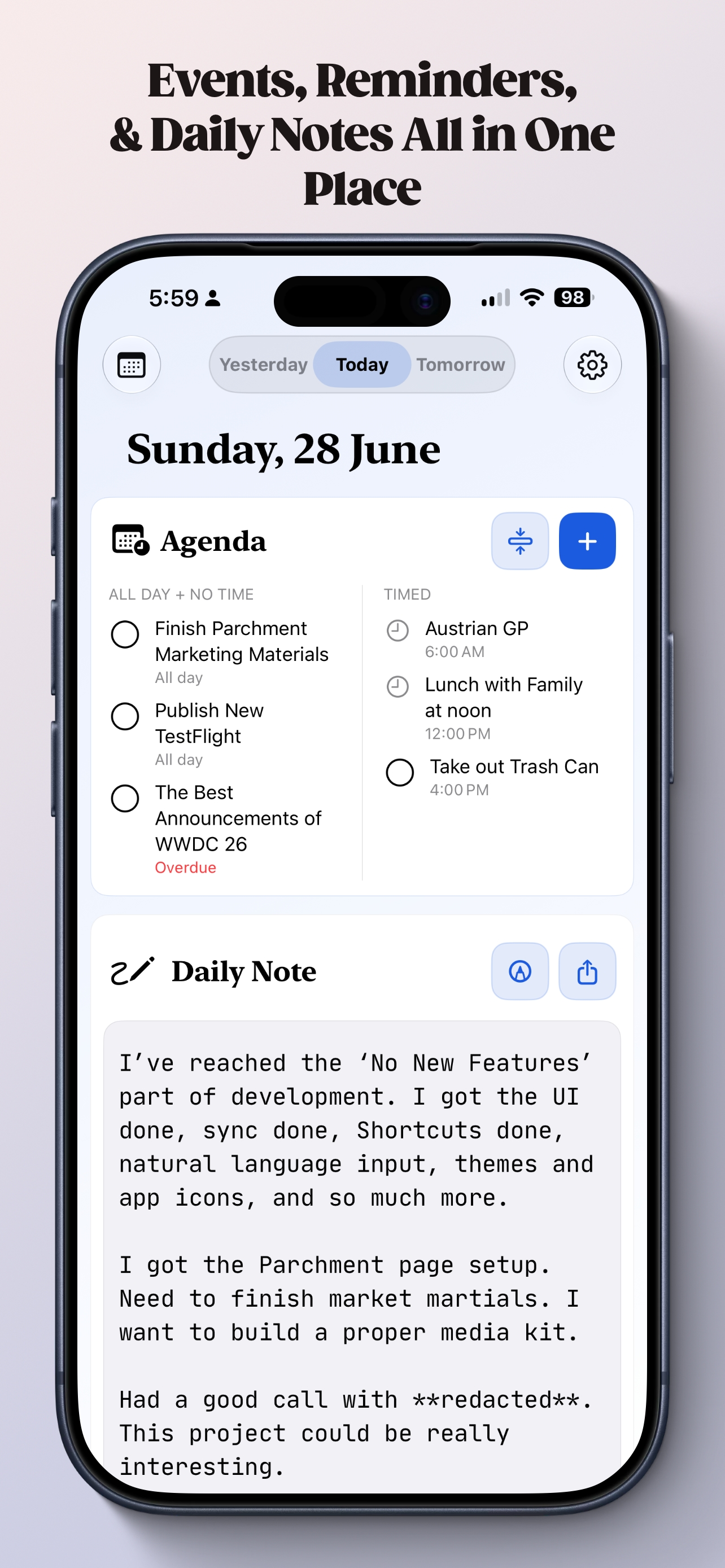
Parchment showing calendar events, reminders, and a daily note on iPhone
One place for the dayiPhone · iPad · Mac
$4.99One-time purchase
3 platformsiPhone, iPad & Mac
10 languagesLocalized across the app
Family SharingShare with up to six people

Supports VoiceOver, Voice Control, Larger Text, Dark Interface, Reduced Motion, sufficient contrast, and differentiation without color alone.

Watch Parchment in action

This Didn’t Exist, So I Built It

Christopher Lawley walks through why he made Parchment and how the app brings events, reminders, and daily notes together.

Watch on YouTube
A Parchment walkthroughBy Christopher Lawley

A simple daily rhythm

Plan what is next. Remember what mattered.

01

See the day ahead

Calendar events and due or overdue reminders sit above your daily note, so the context of your day is always close.

02

Write your way

Capture a quick thought or a full reflection with Markdown, links, lists, and checkboxes. On iPad, switch to Apple Pencil whenever handwriting says more.

03

Find anything from your day

Search daily notes, calendar events, reminders, and recognized handwriting together, then jump directly to the date or agenda item.

04

Keep every saved version

Parchment merges concurrent edits automatically and keeps saved versions available so you can review or restore an earlier daily note.

05

Keep it with you

Your journal can sync through your private iCloud account across iPhone, iPad, and Mac, with portable export tools when you want your own copy.

06

Make it feel like yours

Choose themes, app icons, fonts, page margins, Markdown rendering, agenda sources, and widget colors without turning the app into a project.

Unified search

Remember the idea, not where you put it.

Search across the shape of your day. One query can surface typed notes, recognized handwriting, events, and reminders, with results grouped by date and ready to open.

Learn how search works
project kickoff
Daily noteMonday, July 20

Capture decisions from the project kickoff and send the follow-up…

Calendar eventProject kickoff

Tuesday at 10:00 AM

Recognized handwritingSketch the kickoff flow

Found in your handwritten daily note.

9:42 AMSaved on iPhone
10:18 AMSaved on Mac
Current versionChanges merged automatically

Review every saved version and restore an earlier one when you choose.

Version History

Your daily note remembers its drafts.

Parchment reconciles concurrent edits and keeps the saved source versions available. You can inspect what changed and restore the version you want without guessing.

Read about restoring a note

Parchment everywhere

Part of the Apple experience.

Home & Lock Screens

Widgets keep the agenda close

Choose the calendars and reminder lists a widget shows, complete supported reminders, and use Lock Screen sizes for a glanceable day.

Shortcuts & Siri

Build Parchment into a routine

Add text, open today or another date, export a daily note as plain text, or summarize a day with supplied Shortcuts actions.

Spotlight

Find a thought from anywhere

Parchment can index dates, typed text, and recognized handwriting for on-device system search. You stay in control of indexing in Settings.

Control Center

Open Parchment in one tap

Add the Parchment control for quick access alongside the system controls you already use.

More ways to use the day

Glance, create, write.

Parchment meets you at the right level—from a quick agenda widget, to natural-language planning, to a full handwritten page.
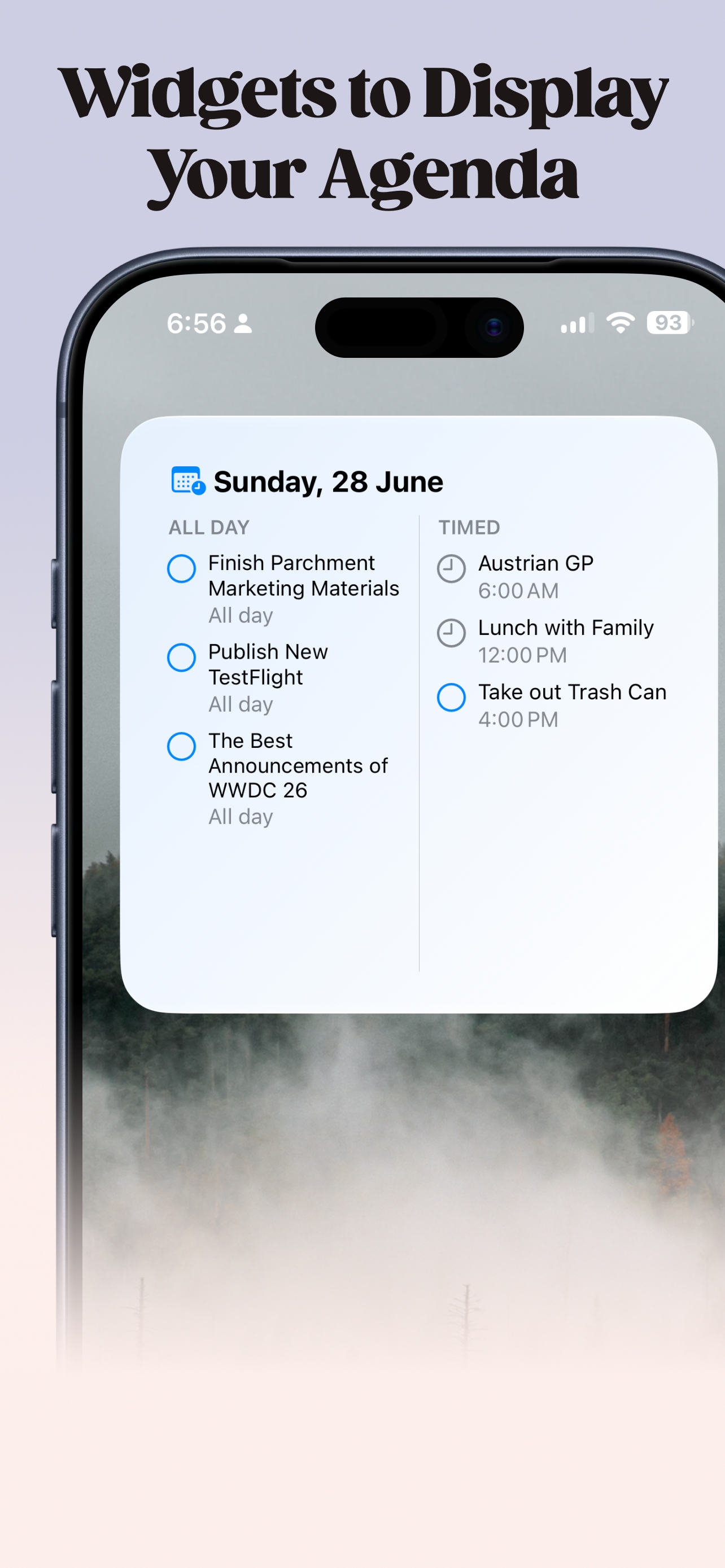
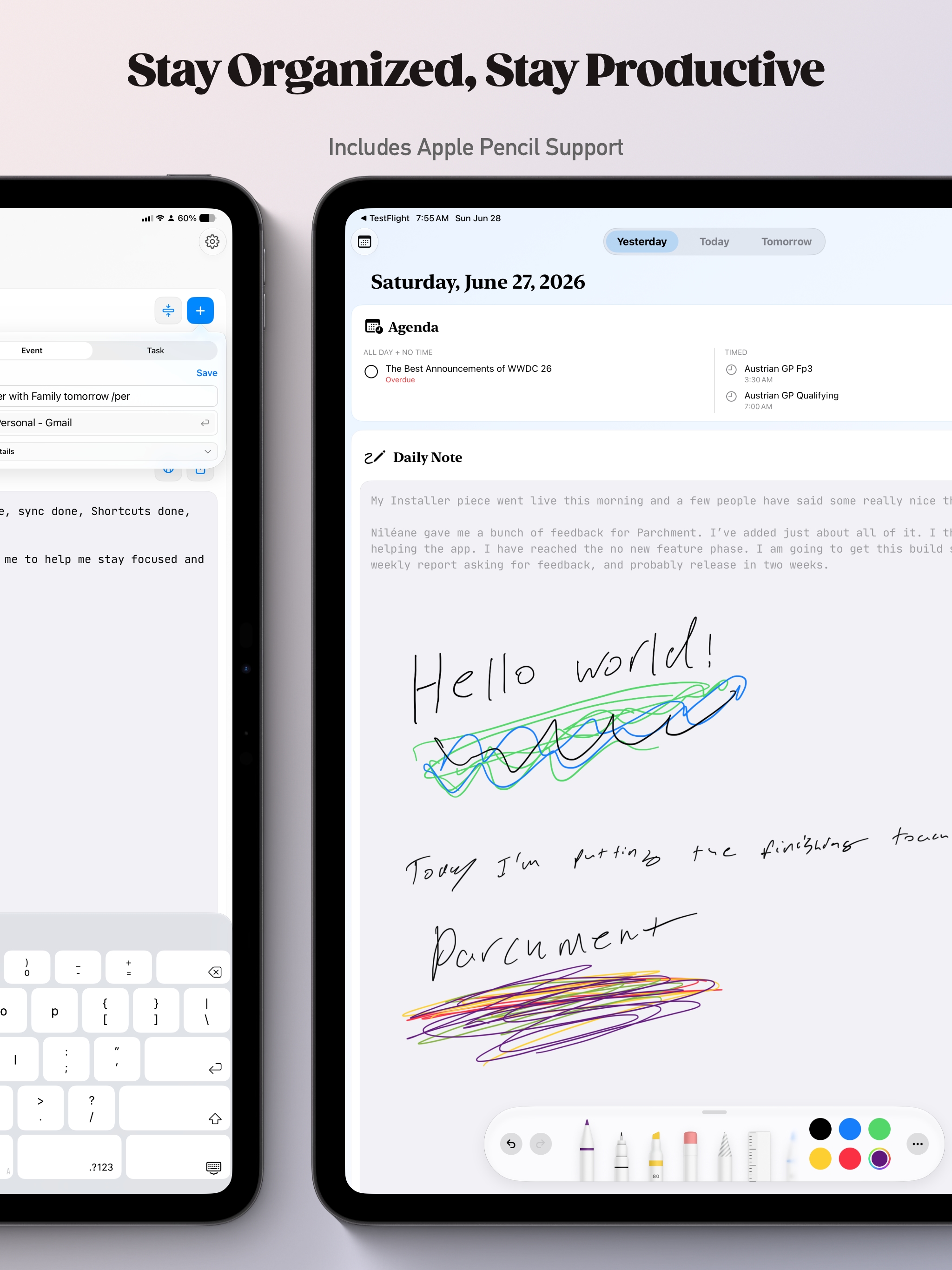
A Parchment agenda widget on an iPhone Home Screen
Your agenda at a glance
Parchment showing a handwritten daily note made with Apple Pencil on iPad
Typed notes and Apple Pencil together
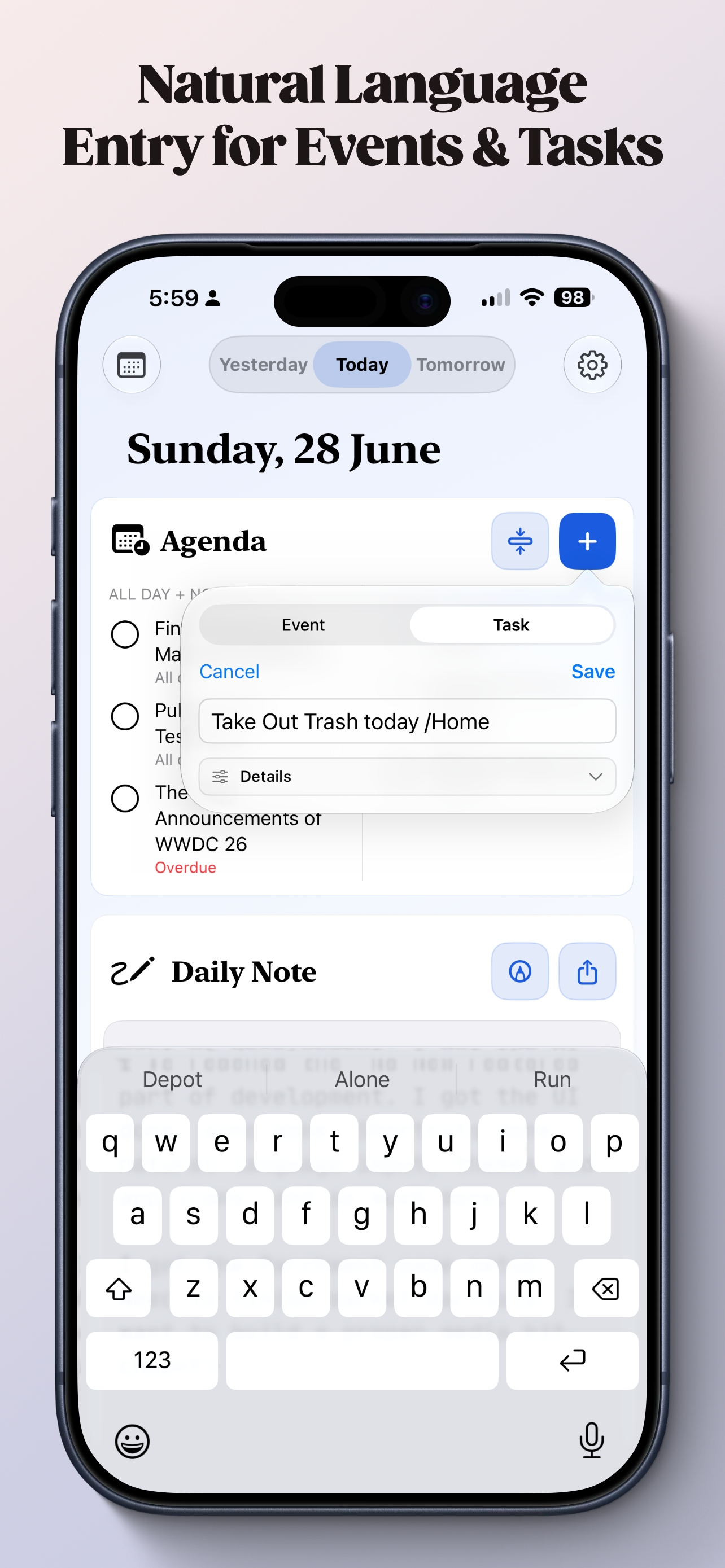
Creating a reminder in Parchment using natural language
Create events and tasks the way you say them

Private by design

Your journal is yours.

Parchment keeps journal data on your devices and, when you choose iCloud sync, in your private iCloud account.

There is no Parchment account, no advertising, no third-party analytics SDK, and no tracking across apps or websites.

Read the privacy policy

Start with today

A quieter place for the shape of your day.

$4.99 once for iPhone, iPad, and Mac, with Family Sharing. No Parchment account required.

View Parchment on the App Store